

Do you often wonder where your money goes after payday?
Many young workers feel the same, but not all know how to track it.
The truth is, without a system, you will always feel short, no matter how much you earn.
The good news? There are simple budgeting apps you can try to track every peso and finally manage your money with confidence.
Let’s dive in.
Table of Contents
Why Use a Budgeting App in the First Place?
Before we go to the list, let’s ask: Why use a budgeting app?
The answer is simple. These tools help you:
- Record every expense in one place.
- See your spending patterns anytime.
- Get reminders so you don’t miss bills or savings goals.
A budgeting app is like a digital notebook that never forgets. Instead of relying on memory, you’ll have clear data to guide your next financial move.
→ Want to start with the basics? Read our Basic Budget Guide (50-30-20 Rule) to learn how to split your income wisely.
Top 5 Budgeting Apps You Can Try
Here are five budgeting apps you can try to track every peso and manage your money better:
App 1: GCash
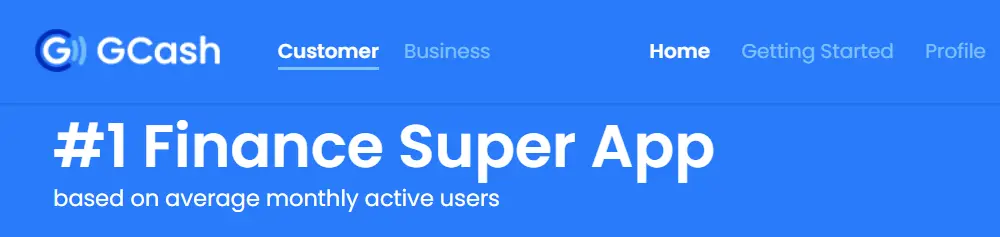
GCash is more than just an e-wallet. It also works as a simple budgeting app for Filipinos.
Since many bills, shopping, and transfers happen here, it’s easy to monitor your cash flow in real time.
Key Features:
- Automatic tracking from every transaction.
- Save Money feature with interest-earning savings.
- Budget reminders when paying bills or sending money.
Why It’s Great:
GCash is already familiar to most Filipinos, so no extra setup is needed.
Your spending history becomes your tracker. It’s ideal for first-time earners who want something simple and reliable.
→ Learn how to grow your savings while using GCash by checking our guide: How to Start Saving on a Small Income | 7 Steps.
App 2: Coins.ph
Coins.ph started as a crypto platform but is now also a trusted e-wallet and budgeting app in the Philippines.
It lets you handle money, bills, and even investments in one place.
Key Features:
- Expense tracking from wallet activity.
- Pay bills, buy load, and send money.
- Options for investments like crypto and gift cards.
Why It’s Great:
If you’re earning from freelance work or digital platforms, Coins.ph makes it easy to separate and monitor income.
Since it’s widely accepted, you can see both inflow and outflow clearly.
→ If you’re looking to build stronger financial habits, check out Basic Financial Skills Every New Worker Needs.
App 3: Money Manager
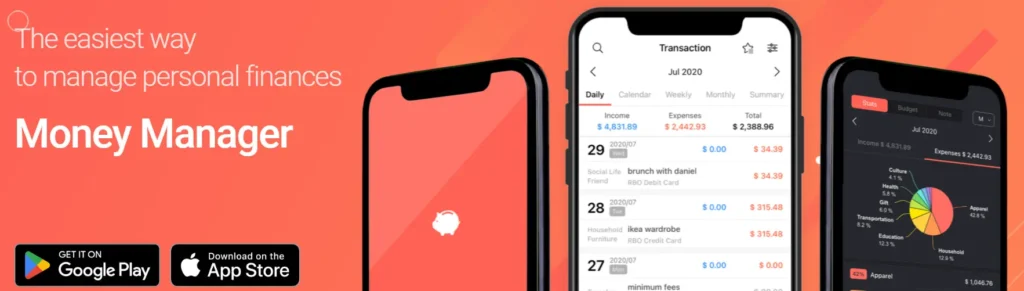
Money Manager is a pure budgeting app designed for personal finance.
It’s one of the most downloaded apps worldwide for expense tracking.
Key Features:
- Manual and automatic expense recording.
- Clear graphs to show where your money goes.
- Daily, weekly, and monthly budget categories.
Why It’s Great:
If you like detailed tracking, this app is for you.
You can assign expenses into categories, check your balance sheet, and even manage multiple wallets. It gives you a clear picture of your money health.
→ Want to avoid overspending while tracking your money? Read How to Avoid Impulsive Buying as a First-Time Earner.
App 4: Mint
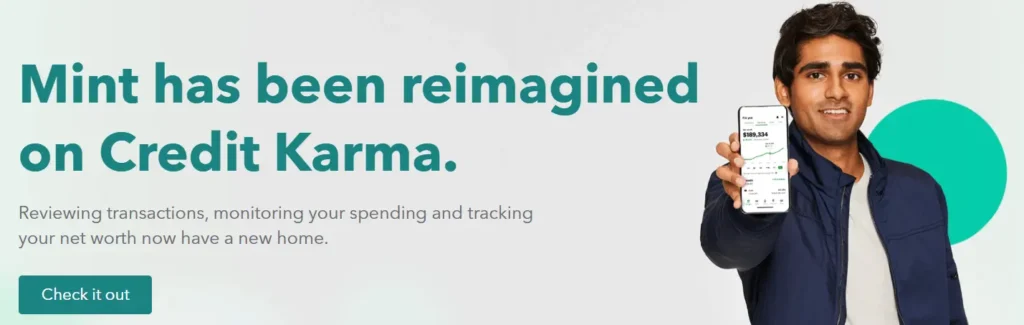
Mint is one of the most popular budgeting apps globally. But here’s the catch: its automatic bank syncing only works in the US and Canada.
In the Philippines, you’ll need to input income and expenses manually. Still, it’s useful for goal setting and reminders.
Key Features:
- Budget goals and spending alerts.
- Bill reminders and due dates.
- Reports and charts that are easy to read.
Why It’s Great:
If sticking to a savings goal is your struggle, Mint can help.
Even with manual input in the Philippines, you’ll benefit from its progress bars and reminders. Just note that some features won’t work here.
App 5: Spendee

Spendee is another budgeting app you can try if you want flexibility.
It allows shared wallets, making it perfect for couples, friends, or even families tracking group expenses.
Key Features:
- Shared wallet feature for group budgeting.
- User-friendly design with colorful visuals.
- Works offline and syncs when online.
Why It’s Great:
If you’re living with friends or splitting household bills, Spendee keeps everything transparent.
Everyone can see who spent what, avoiding money issues in the group.
How to Choose the Right Budgeting App for You
With so many budgeting apps you can try, how do you know which one is best?
Follow these three tips:
Match with Your Lifestyle
If you use GCash daily, start there. If you want detailed reports, go with Money Manager.
Consider Your Goals
Want to save more? Use apps with reminders. Want to track group expenses? Choose one with shared wallets.
Check Ease of Use
The best budgeting app is the one you’ll actually use. Don’t overcomplicate it. Pick something simple and stick with it.
→ For more money tips, read How to Plan Your Monthly Expenses Without Stress.
Final Thoughts
Tracking your money doesn’t have to be hard or boring. Thanks to today’s tools, there are many budgeting apps you can try to track every peso you earn and spend.
Whether it’s GCash, Coins.ph, Money Manager, Mint, or Spendee, each has features that fit different lifestyles.
The key is to pick one, use it regularly, and build the habit of tracking. Once you take control of every peso, you gain freedom to plan, save, and enjoy life without constant money stress.
References
- GCash Official Website: https://www.gcash.com
- Coins.ph Official Website: https://www.coins.ph
- Money Manager App (Realbyte): https://realbyteapps.com
- Mint by Intuit: https://mint.intuit.com
- Spendee Official Website: https://www.spendee.com